 Twinread
Features
Translate a page in two languages
Translate the page once, then change the view whenever you like. Nothing is translated again.
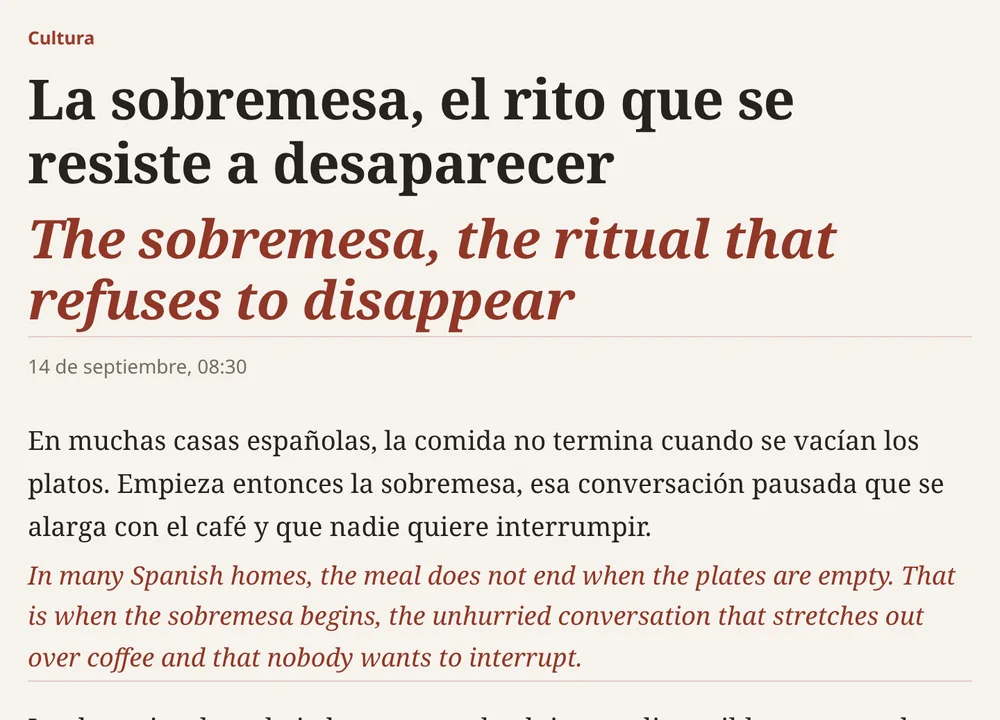
- Bilingual view: the translation under each paragraph, the original left as it was
- Translation only: the translation shows where the original was, and copying gives the translation. The browser's find and screen readers can still reach the original
- Show original brings the page back untouched with one click
- Links in the original stay clickable
- Code, forms, editable areas, hidden text and one-word menu labels are left alone. Text already in your language is skipped
Four looks for the translation
- SubtleTea arrived in Europe through Portuguese and Dutch traders in the early seventeenth century.Il tè arrivò in Europa tramite commercianti portoghesi e olandesi all'inizio del diciassettesimo secolo.
- UnderlineTea arrived in Europe through Portuguese and Dutch traders in the early seventeenth century.Il tè arrivò in Europa tramite commercianti portoghesi e olandesi all'inizio del diciassettesimo secolo.
- HighlightTea arrived in Europe through Portuguese and Dutch traders in the early seventeenth century.Il tè arrivò in Europa tramite commercianti portoghesi e olandesi all'inizio del diciassettesimo secolo.
- Dim the originalTea arrived in Europe through Portuguese and Dutch traders in the early seventeenth century.Il tè arrivò in Europa tramite commercianti portoghesi e olandesi all'inizio del diciassettesimo secolo.
One sentence, one paragraph, or the whole page
You do not have to translate everything to read one line.
- Select text on any page and a small card shows the translation, with a copy button
- Alt+Shift+Y translates the selection from the keyboard
- Hold Alt over a paragraph to translate only that paragraph
- Alt+A translates the whole page. Visible paragraphs come first, and text that loads as you scroll is picked up
Video subtitles in two languages
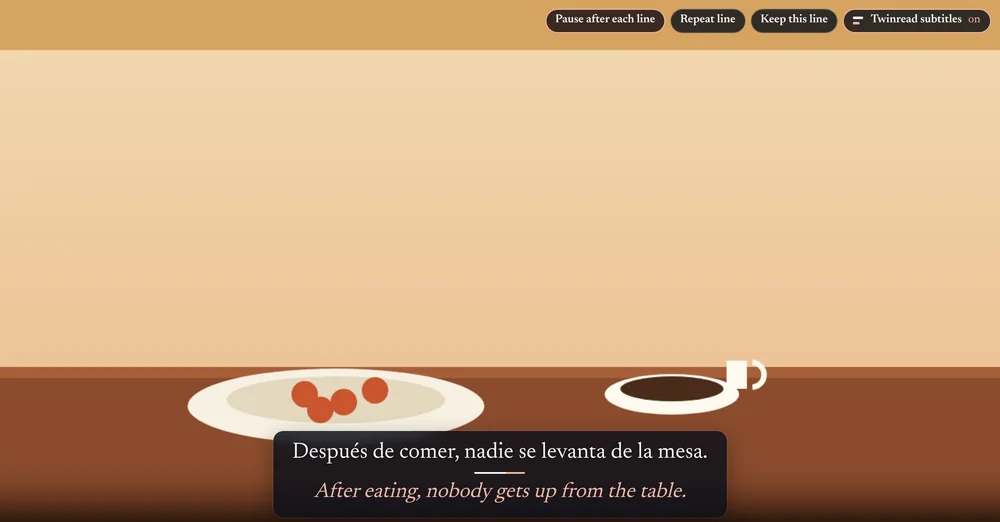
The caption line the video shows, with its translation under it, over the video. Where the site provides no captions, there is nothing to translate.
- Works with captions the site provides: plain HTML5 video, and YouTube with captions switched on (the CC button)
- Follows the video into fullscreen. You set the text size, and a chip on the player turns it on and off
- The translation comes from an on-device translator, like everything else. Twinread does not listen to audio
- Free translates the whole video, with no daily limit
A PDF reader with the translation beside it
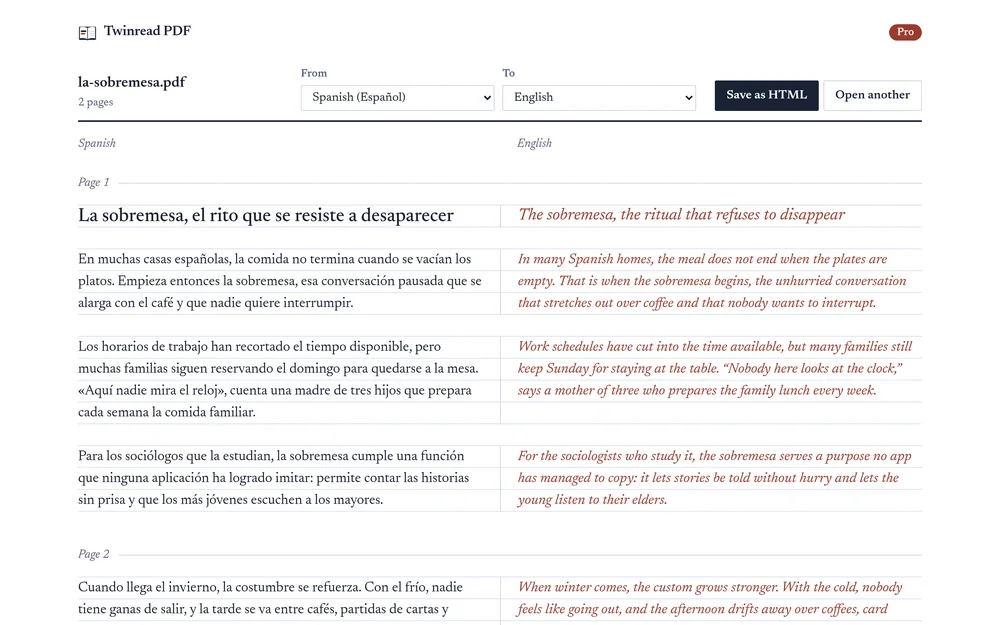
Open the reader from the popup, choose a PDF or drop it on the page, and read it paragraph by paragraph. It reads PDFs that contain text. There is no OCR, so a scan that is only pictures of text has nothing to read.
- Each paragraph with its translation beside it, or under it on a narrow window
- Two-column pages are read left column first. Running headers, footers and page numbers are left out
- A paragraph is translated when you scroll to it
- A PDF you choose is read and translated on your computer. On a tab that shows a PDF, a button opens it in the reader when the site allows the download; otherwise save the file and drop it on the reader
- Free reads the whole document. Pro saves it as a bilingual HTML pagePro
Keep the phrases you look up
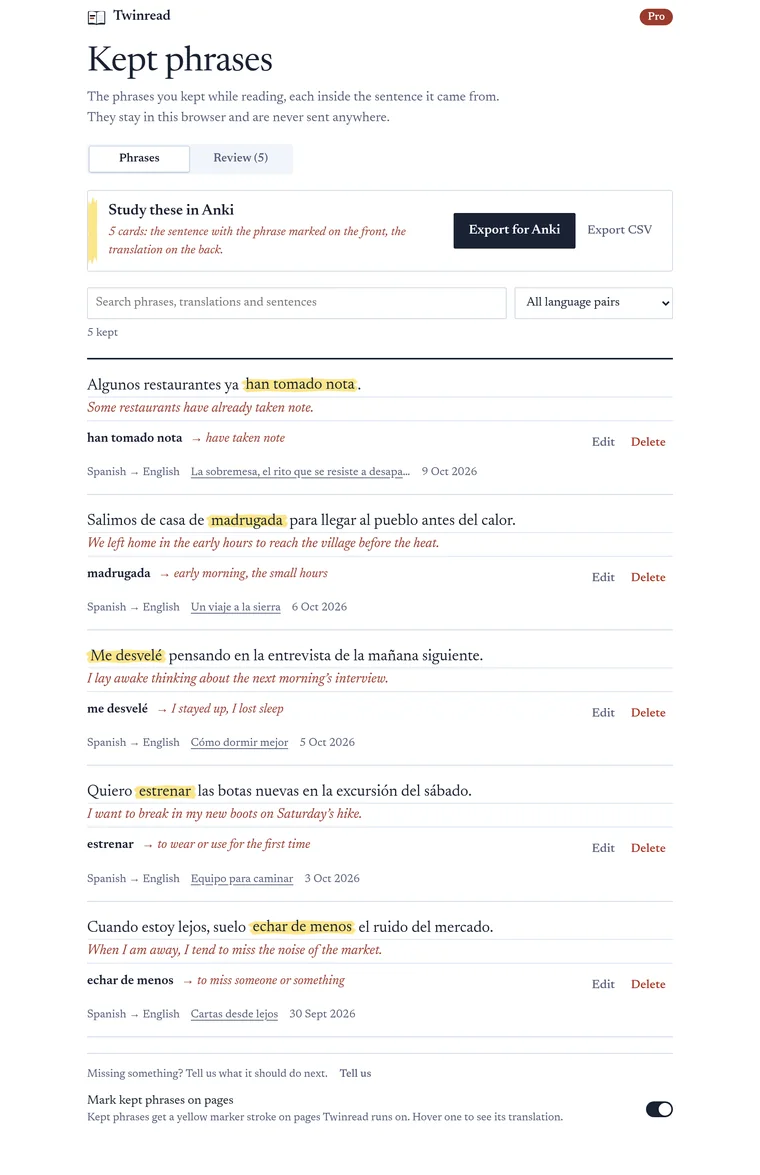
For reading in a language you are learning. A saved word stays with its sentence, ready for review.
- Keep a word or phrase from the selection card, with the sentence it came from and its translation
- A Saved words page to search, filter by language pair, edit and delete
- Open at source: the page at the phrase's sentence, or the video at its second
- Free keeps 200 saved words; Pro has no limit
- Saved words are marked in yellow on every page you read, with the translation on hover
- Export to Anki or CSV, with the sentence on the cardPro
Pick a language pair and go
The toolbar popup sets the languages, the view and the look of the translation.
- Swap the two languages with one button
- The page language is detected for you, and you can set it by hand
- Shortcuts can be remapped in the browser
- Always-translate works on up to 1,000 sites, free
- Saved words keep their sentence, are marked on every page and reviewed as flashcards; Pro exports them to Anki
Your browser translates it, on your computer
Twinread has no translation server. It hands the text to the translator built into Chrome or Edge, or to the engine bundled in Firefox, and puts the result back on the page.
- No account and no API key
- The browser downloads a small language model once for each language pair. After that, translation works without a connection
- Works in Chrome 138 or later, Edge 148 or later and Firefox 140 or later, on desktop. In Chrome and Edge the browser fetches its translation engine on first use, about 20 seconds
- At install it has no access to the sites you read (Firefox also reaches Mozilla's model download hosts). It gets access to the tab you use it on, and asks for one site at a time if you switch on Always translate